

The world of AI is changing fast, and Llama 3 is leading the way. To get the most out of it, picking the right hardware is key. This choice can greatly affect your AI computing experience.
AI hardware is vital for better performance and efficiency. You need strong processors and fast memory for Llama 3 to work well. This guide will show you what hardware you need for a great setup.
Choosing the right parts will help you handle tough AI tasks easily. Let’s explore AI computing and learn how to make a system that enhances Llama 3’s performance.
Understanding Llama 3 and Its Requirements
Llama 3 is a top-notch language model that’s making big waves in AI. It’s built on its predecessors, offering better features for many uses. To set up an AI PC for Llama 3, you need to think about its special design and features.
Llama 3 Architecture
The Llama 3 design focuses on being efficient and growing. It uses a transformer-based setup, which lets it handle lots of data fast. This makes Llama 3 great at writing like a human and understanding tricky questions.
Key Features
Llama 3 has some cool features that make it stand out:
- Improved context understanding
- Faster processing speeds
- Enhanced multilingual support
- Better fine-tuning capabilities
These features make Llama 3 perfect for tasks like writing and data analysis. It’s important to meet Llama 3’s needs to use these features well.
Optimal Hardware Importance
The right hardware is key for Llama 3 to run well. A good AI PC setup can make it work faster and better. Important parts like strong GPUs and lots of RAM help Llama 3 reach its full potential.
Processor Requirements for Llama 3
Choosing the right CPU is key for Llama 3 to run well. AI hardware needs change with model complexity and processing tasks. Let’s look at what makes a good processor for your Llama 3 setup.
Recommended CPU Specifications
For the best performance, consider these specs:
- Clock speed: 3.5 GHz or higher
- Cores: 8 or more
- Cache size: 16 MB L3 cache minimum
Intel vs. AMD for AI Tasks
Intel and AMD both have strong processors for AI. Intel’s Xeon series is great for single-thread tasks. AMD’s Threadripper is better for multi-threading. Your choice depends on your Llama 3 tasks and your budget.
Impact of Multi-Core Processing
Multi-core processors make Llama 3 run faster. They let the AI model do many tasks at once. This means quicker results and better efficiency in AI setups.
When picking a CPU for Llama 3, focus on multi-core, clock speed, and cache size. These are important for handling complex AI tasks and edge AI computing.
Graphics Processing Units (GPUs)
GPUs for AI have changed the game in artificial intelligence. They are key for running big models like Llama 3. AI needs GPUs because they can do lots of math at once.
GPUs in AI Models
GPUs are great for AI because they can process lots of data fast. They are way faster than regular CPUs. This is important for big models like Llama 3.
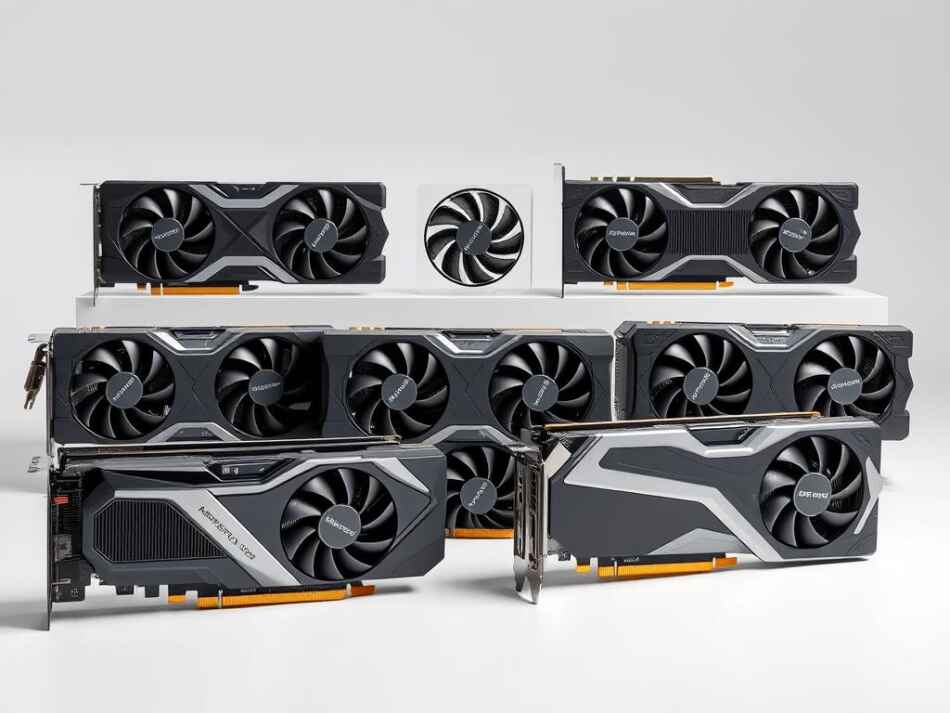
Top GPUs for Llama 3
Here are the best GPUs for Llama 3:
- NVIDIA GeForce RTX 3090
- AMD Radeon RX 6900 XT
- NVIDIA A100
These GPUs have lots of memory and CUDA cores. The RTX 3090 is best for big models because it has 24GB VRAM.
NVIDIA vs AMD GPUs
NVIDIA GPUs are often the best for AI because of CUDA. AMD is good for gaming but is catching up in AI. NVIDIA’s tensor cores help a lot in deep learning.
AMD GPUs are a good deal but might need more setup for AI. Pick a GPU based on what you need and how much you can spend. Look at memory, power, and software support.
Memory Considerations
When setting up an AI PC for Llama 3, memory is key. The right RAM amount and type boost performance. Let’s explore the memory needs for your AI setup.
RAM for Efficient Performance
For Llama 3 to run smoothly, you need at least 32GB of RAM. This lets your system handle big language models without lag. If you can, 64GB or more will make things even better, especially for tough AI tasks.
DDR4 vs DDR5 Memory
DDR5 is the newer memory, offering faster speeds and better power use. While DDR4 is common, DDR5 gives your AI PC an advantage. If you’re building a new system for Llama 3, go for DDR5 for future upgrades.
Memory Speed and Processing
Faster memory speeds improve your AI PC’s performance. Look for RAM with speeds like 3200MHz or higher for DDR4, and 4800MHz or above for DDR5. This speed is crucial for quick data processing, meeting Llama 3 needs and running complex AI models well.
Remember, balancing memory with CPU and GPU is essential for a top AI PC setup for Llama 3. Always check if your chosen motherboard works well with your RAM for smooth integration.
Storage Solutions for Llama 3
Choosing the right storage for your AI hardware setup is key when running Llama 3 locally. The speed and efficiency of your storage greatly affect the performance of edge AI computing tasks.
SSD vs. HDD: The Clear Winner
Solid-state drives (SSDs) beat hard disk drives (HDDs) for AI workloads. SSDs have faster read and write speeds. This means less waiting time and better system response when dealing with big datasets and models like Llama 3.
Top SSD Models for AI Tasks
When picking an SSD for your AI setup, look at these top choices:
- Samsung 980 PRO NVMe SSD
- WD Black SN850 NVMe SSD
- Corsair MP600 PRO XT NVMe SSD
These models are fast, reliable, and have plenty of space. They’re perfect for edge AI computing and other tough AI tasks.
The Need for Speed in AI Storage
Storage speed is crucial for AI computing efficiency. Faster storage cuts down on delays, letting your AI hardware work faster. This speed advantage is especially helpful with big language models like Llama 3. Quick data access greatly boosts overall performance.
Cooling Solutions for Hardware
Building an AI PC setup? Don’t forget about cooling. It’s key for your AI hardware to work well and last long, especially with models like Llama 3.
The Importance of Cooling
AI hardware gets very hot when it’s working. If it’s not cooled right, it might slow down or even get damaged. Good cooling keeps your AI setup running smoothly.

Cooling System Types
There are many ways to cool your AI PC:
- Air cooling: Uses fans and heatsinks to get rid of heat
- Liquid cooling: Moves coolant to cool down better
- Hybrid solutions: Mix air and liquid cooling for the best results
Temperature Management Best Practices
To keep your AI hardware cool:
- Make sure your case has good airflow
- Use top-notch thermal paste
- Set up fans for the best air flow
- Keep an eye on temperatures
- Wipe dust off parts now and then
Follow these tips for a cool and efficient AI PC setup. It will run better and last longer.
Power Supply Recommendations
Choosing the right power supply is key for Llama 3 on high-performance AI hardware. A strong power supply keeps your system stable. It also protects your investment in top-notch components.
Wattage for High-Performance Builds
AI hardware needs a lot of power. To meet Llama 3 needs, figure out your system’s total power use. Add up the power needs of your CPU, GPU, and other parts. Then, add 20% for future upgrades.
Efficiency Ratings Matter
Choose power supplies with high efficiency ratings. Look for 80 Plus Gold or Platinum certified units. They turn more electricity into usable power.
This reduces energy waste and heat, important for AI workloads.
Top Power Supply Units
For Llama 3 setups, consider these reliable options:
- Corsair RM850x: 850W, 80 Plus Gold
- EVGA SuperNOVA 1000 G5: 1000W, 80 Plus Gold
- Seasonic PRIME TX-1000: 1000W, 80 Plus Titanium
These units deliver stable power, high efficiency, and quiet operation. They’re perfect for demanding AI tasks. They also offer room for future upgrades.
Motherboard Compatibility
Choosing the right motherboard is key for an AI PC setup. It connects all parts and makes edge AI computing work. A good motherboard means your system will run well now and in the future.
Choosing the Right Motherboard
When building an AI PC, pick a motherboard that fits your CPU and GPU. It should have lots of PCIe lanes for fast data and room for upgrades. Also, think about memory slots and how much RAM it can hold for AI tasks.
Key Features to Look For
- VRM quality for stable power delivery
- M.2 slots for fast storage options
- Thunderbolt support for high-speed connectivity
- Wi-Fi 6 or 6E for seamless network integration
Quality Motherboard Brands
Some top brands for high-performance motherboards are:
- ASUS ROG
- MSI MEG
- Gigabyte AORUS
- ASRock Taichi
These brands offer strong motherboards for AI tasks. Choosing a trusted brand means your AI PC will perform well.
Network Connectivity Options
Fast internet is key for running Llama 3 locally. A good network setup is vital for AI tasks and edge AI computing. Let’s look at the top connectivity options for your AI hardware.
High-Speed Internet Importance
AI models like Llama 3 need fast data access. Quick internet helps with updates and real-time processing. For edge AI computing, a strong connection is needed for smooth data transfer.

Networking Hardware Picks
Choose a router with high throughput for AI workloads. Look for models with multi-gigabit ports and Wi-Fi 6 support. Network cards with 10 Gbps speeds are best for AI hardware setups.
Wired vs Wireless
Wired connections are stable for AI tasks. Ethernet cables have lower latency, great for edge AI computing. Wireless is convenient but may not be as reliable for demanding AI workloads.
- Wired: Lower latency, stable connection
- Wireless: Flexible, but potentially less reliable
Choose the best option for your AI hardware needs and setup. A mix of both can offer flexibility and performance for your Llama 3 environment.
Building vs. Buying Pre-Built Systems
Setting up an AI PC for Llama 3 locally means you must decide: build it yourself or buy a ready-made one. Each choice has good and bad sides, affecting your AI experience.
DIY Machine: Pros and Cons
Building your AI PC lets you customize and might save money. You pick each part to fit Llama 3’s needs. It’s great for upgrading later and learning about your hardware. But, it takes tech skills and time.
Pre-Built Systems for Llama 3
Pre-built systems are easy and reliable. Top makers create them for AI tasks. They come with warranties and help, perfect for those not into building PCs.
Cost Analysis
Custom builds can save money, especially during sales. Pre-built systems cost more but save time and trouble. Think about your budget, time, and tech skills before deciding.
- Custom build: Lower cost, higher flexibility
- Pre-built: Higher cost, lower hassle
Your choice depends on your needs, budget, and PC building comfort. Both paths lead to strong AI computing for Llama 3, if chosen right.
Software Optimization for Llama 3
Getting your AI PC setup right is more than just hardware. Software optimization is key to meet Llama 3 needs and boost performance. Let’s look at how to fine-tune your system for the best results.
Up-to-Date Drivers: A Must
Keeping drivers current is crucial for your AI PC. This is especially true for GPUs and AI-accelerated parts. Updated drivers ensure your system works well, fix bugs, and can improve performance for Llama 3.
Choosing the Right Operating System
The operating system you choose can greatly affect Llama 3 performance. Linux distributions for machine learning are favorites among AI fans. Windows with WSL2 is also good, offering both familiarity and strong AI powers.
Benchmarking for Peak Performance
Measuring and optimizing system performance is essential for a great AI PC. Use special benchmarking tools to see how your system stacks up against Llama 3 needs. This helps find and fix weak spots, making sure your setup is ready for Llama 3 tasks.
- Monitor CPU and GPU usage
- Track memory consumption
- Evaluate data processing speeds
By focusing on these software aspects, you can make an environment that uses your hardware’s full power for Llama 3.
Future-Proofing Your Hardware
Choosing the right AI hardware for Llama 3 is important. It must grow with new AI tech. This means picking systems that can adapt and improve over time.
Factors to Consider for Longevity
When picking parts, look for ones that can handle more in the future. High-end GPUs like NVIDIA’s A100 or AMD’s Instinct MI250 are great. They have lots of power for new AI models.
Also, choose motherboards with lots of PCIe slots. This makes it easy to add more parts as you need them.
Emerging Technologies in AI Hardware
The world of AI hardware is changing fast. New AI accelerators and GPUs are coming. They will make machine learning tasks even faster.
Staying updated on these new techs is smart. It helps you know when to upgrade your current setup.
Scalability and Upgrade Paths
Building systems that can grow is crucial. This might mean getting a bigger power supply or a case that can hold more parts. Planning for upgrades helps your Llama 3 setup last longer.
You can keep up with new AI tech without having to replace everything. This makes your setup more flexible and future-proof.
Notes
Llama 3 Requirements: To run Llama 3 locally, you’ll need to meet certain system requirements. According to Meta’s official documentation, Llama 3 requires a minimum of 8GB of RAM and an NVIDIA GPU with at least 8GB of VRAM. Additionally, the recommended configuration includes a multi-core processor (at least 2 cores) and a fast storage drive, such as an SSD. It’s also worth noting that Llama 3 is optimized for Windows 10 or later, so if you’re using a different operating system, you may need to ensure compatibility before running the model.