
In today’s world, teachers have many technological resources to help students learn. Over 65% of teachers use digital tools every day. They know these tools can make learning fun and exciting.
Every app, website, and digital service starts with computer programming. To teach these skills, teachers need the right setup. This includes both physical and digital parts.
A modern tech lab is more than a classroom. It’s a place where students learn to code and think digitally. With the right educational tech and classroom coding supplies, students can work together, be creative, and solve problems.
This guide helps teachers set up a great learning space. It covers everything from furniture to technology and teaching methods. Investing in a well-designed space helps students stay engaged and do well.
Understanding the Importance of a Coding Classroom Setup
A coding classroom is more than a place to learn. It boosts student engagement, technical skills, and teamwork. The right setup helps students understand complex ideas and get practical skills. Using educational tech wisely makes the classroom a place where coding talent grows.
When teachers make their classrooms better, they help students learn more effectively. This learning experience is like what professionals go through in their work.
Benefits of a Well-Organized Classroom
A tidy coding classroom helps students learn better. It makes sure technology works well without problems. This means students can focus more on coding and less on fixing tech issues.
Good organization also helps teachers manage the classroom better. They can watch over students, help when needed, and keep everyone on track. This keeps students focused and stops distractions.
- Less trouble with technology and more time for learning
- Smarter use of class time for different activities
- Better classroom management and student supervision
- More chances for students of all levels to learn
- More efficient use of class time
Impact on Student Learning
The classroom’s look and feel affect how students learn. Studies show that good learning spaces can make students 16% better than bad ones. For coding, having good tech and a comfy place helps students solve problems better.
A good coding classroom supports different ways of learning. Visual learners see better, and hands-on learners have more space. It’s set up for both teaching and exploring on your own.
Students feel more confident in their coding skills in a well-set-up classroom. This confidence helps them solve problems in other subjects too.
Enhancing Collaboration Among Students
Real-world coding is a team effort. A good coding classroom helps students learn to work together. The setup encourages sharing and teamwork, like in real tech teams.
Collaborative coding tools work better in a well-designed classroom. It’s easy for groups to see screens and work together. This teaches students to share ideas and work well in teams.
Learning together makes students more motivated and persistent. They share ideas, solve problems together, and celebrate their wins. This teamwork leads to more creative ideas and deeper understanding.
- Helps with pair programming and code reviews
- Teaches important communication skills for tech jobs
- Encourages sharing knowledge among students
- Builds a sense of community and keeps students engaged
Essential Classroom Furniture for Coding Education
Good classroom furniture is key for coding education. It affects how students feel and learn. Choosing the right furniture helps students stay focused and comfortable.
Desks and Seating Arrangements
Desks need to be big enough for computers and books. They should be 24 to 30 inches deep for easy viewing. This makes learning better.
Adjustable desks are great for coding. They let students switch between sitting and standing. This helps avoid getting tired during long coding sessions.
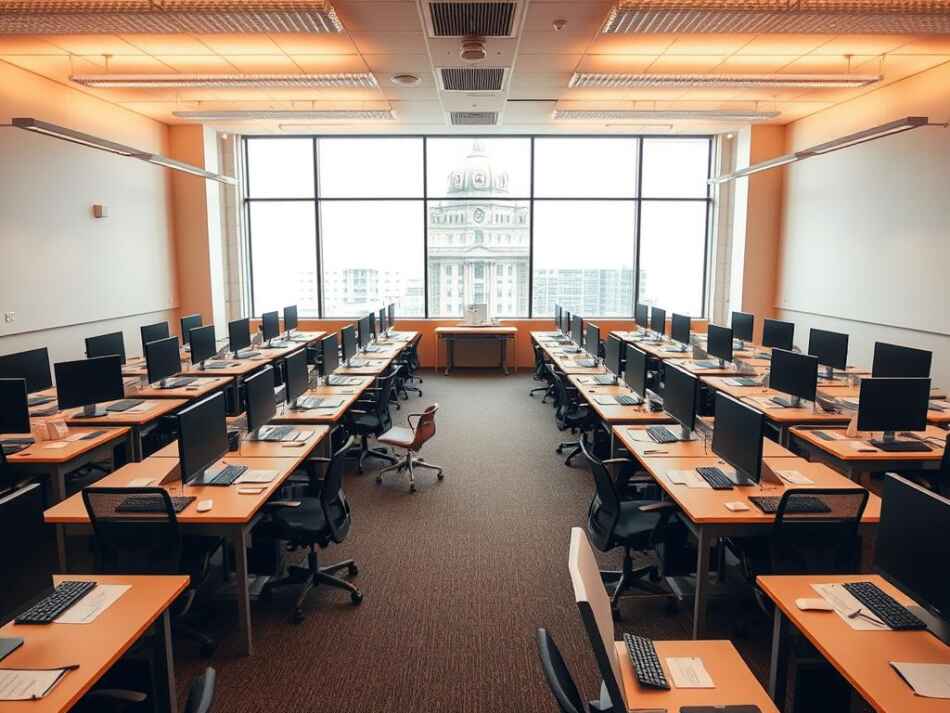
Think about how desks are arranged. They should help students work alone or together. Good setups include:
- Pod-style groupings for team work
- U-shaped for teacher demos
- Modular desks for easy changes
- Peninsula layouts for teacher movement
Ergonomics and Comfort Considerations
Ergonomics is very important in coding classrooms. Good setup prevents discomfort and helps students stay focused. Chairs should support the back and adjust to fit different heights.
Monitors should be at eye level to avoid neck pain. Keyboards and mice should be set up right to avoid wrist strain.
Teaching good ergonomic habits early is important. It helps students stay healthy while using technology. Post reminders around the classroom.
Flexible Workspace Options
A good coding classroom has different work areas. These support various learning styles and activities. Consider adding:
- Collaborative tables for group work
- Comfortable areas for reading or talking
- Standing workstations for quick tasks
- Spaces for hands-on learning
Whiteboards are key for coding classrooms. They help with planning and solving problems. They should be easy to use and placed well for brainstorming.
Don’t forget about storage. Good storage keeps devices safe and organized. It makes the classroom run smoothly.
By choosing the right furniture, teachers create great coding classrooms. These classrooms help students learn and succeed. The right setup makes learning fun and effective.
Technology Infrastructure Requirements
Setting up the right tech is key for a great coding learning space. Without the right tech, even the best plans can fail. A good setup lets students learn without tech troubles.
Modern educational tech needs careful planning. It must meet coding education’s special needs. Every part, from networks to hardware, is important for success.
Importance of Reliable Internet Connectivity
Fast internet is essential for coding classes. Students need it for cloud tools, version control, and online resources.
Experts say each student needs at least 1.5 Mbps for basic coding. For more complex tasks, like game making, speeds of 5-10 Mbps are needed.
- Get a dedicated internet line for your coding room
- Use tools to watch bandwidth use
- Have backup connections to avoid lessons being cut off
- Do big tasks when internet is less busy
Stable internet is as important as fast speeds. A steady 50 Mbps is better than a fast but unstable 100+ Mbps.
Internal Networking Equipment
A good local area network (LAN) is the base for classroom connections. Quality switches, routers, and cables keep connections strong.
When setting up your network, remember these key parts:
- Use top-notch switches for all devices
- Install patch panels for neat cables
- Have NAS for student project backups
- Use local servers for classroom apps
- Keep cables organized for safety and order
Server setup might be needed, depending on your teaching style. Local servers can host coding environments, store projects, and run apps without needing the internet.
Don’t forget about monitors in your planning. Dual monitors help students work on code and look at documents at the same time.
Integrating Wi-Fi for All Devices
While wired connections are stable, a strong Wi-Fi is key for all devices in class. Tablets, laptops, and phones can all be used in coding.
Good Wi-Fi planning is important:
- Put in many access points to cover all areas
- Make separate networks for students and teachers
- Use strong security for each network
- Think about mesh Wi-Fi for full coverage
Mesh Wi-Fi systems are great for schools. They offer smooth coverage, easy management, and balance between access points.
Setting up Quality of Service (QoS) helps keep coding tools fast during class. This makes sure important coding apps get enough bandwidth.
Different coding tasks need different network setups. For example, virtual machines need local power but little bandwidth. Cloud projects need lots of internet.
Recommended Computers and Devices for Coding Classes
In today’s coding classes, picking the right computer is key. The device you choose affects how well students learn and do projects. It’s important to find a balance between good performance, durability, and cost.
Choosing the Right Operating System
The operating system is the base for coding in class. Each one has its own benefits, depending on what you’re teaching and what students need.
Windows is the most used in schools because it works well with many tools. It’s familiar to most students and supports all programming languages.
MacOS is known for its smooth user experience. It’s great for web development and iOS app making because of its Unix terminal.
Linux is a cost-effective option that teaches students about open-source systems. Ubuntu and other education versions run well on basic hardware and mimic web server environments.
Many classrooms use different operating systems. This helps students get ready for the real world, where they might use different systems.
Specifications of Desktops and Laptops
When picking computers for coding, focus on processing power and memory. Modern coding tools need strong systems to run smoothly.
- Processor: Intel Core i5/AMD Ryzen 5 or better (multi-core)
- Memory: 8GB RAM (16GB preferred for smoother multitasking)
- Storage: SSD with at least 256GB capacity
- Graphics: Integrated graphics sufficient for most coding; dedicated GPU for game development or 3D modeling
- Connectivity: Multiple USB ports and external display support
Monitors are important for coding. For desktops, choose screens that are at least 21 inches and have 1080p resolution. This lets students see code and notes easily.
Dual monitors are great for coding because they give more space. While they cost more, they help students work on big projects better.
For laptops, look for ones with 14-inch or bigger screens. This helps avoid eye strain. Laptop stands or external keyboards can also make coding more comfortable.
Evaluating Tablets for Coding
Tablets are good for coding, mainly for young students or special tasks. They’re portable and have touch screens, which are useful in some ways.
iPad Pro with a keyboard is good for coding apps. Swift Playgrounds teaches Swift, and Pythonista is great for Python. The Apple Pencil helps with visual programming.
Android tablets are cheaper and good for basic coding. They’re best for block-based programming and simple coding apps.
Use tablets as extra tools, not main computers for coding classes. They’re best for:
- Elementary and middle school coding introduction
- Block-based programming activities
- Mobile app testing and development
- Quick coding practice and concept demonstrations
- Collaborative activities where mobility enhances learning
For deeper coding, traditional computers are better. They have full keyboards and bigger screens, making coding more efficient as projects get harder.
Software and Tools for Coding Instruction
Choosing the right software for coding can really help students learn and stay interested. The tools you pick affect what students can make and how they solve problems. A good digital setup gives students skills they’ll use in the real world and makes learning fun.
Essential Programming Languages to Teach
When picking programming languages, think about what’s useful and what students need to learn. Choose languages that fit your students’ skills and what’s needed in the job market.
Python is great for beginners because it’s easy to read and use. It helps students learn the basics without getting confused. Python is useful for many jobs, from data science to web development.
For younger students, Scratch is a good choice. It uses pictures and blocks to teach programming. This makes it easier for students to learn before they tackle text-based code.
- HTML/CSS/JavaScript for web development foundations
- Python for general programming and data science
- Java or C# for application development in advanced classes
- Scratch or Blockly for younger or beginning programmers
- SQL for database management concepts
IDEs and Code Editors Overview
Integrated Development Environments (IDEs) and code editors make coding easier. They offer tools that help students learn faster. The right one can make learning less frustrating and more effective.
For new programmers, tools that are easy to use are best. Thonny is a great Python tool with a simple interface and a debugger. Replit lets you code in the browser, so you can work from anywhere.
Visual Studio Code is good for all levels. It’s customizable, so teachers can make it fit their class needs.
- Thonny – Beginner-friendly Python IDE with visualization tools
- Replit – Browser-based environment supporting multiple languages
- Visual Studio Code – Versatile editor with extensive extension library
- Arduino IDE – Specialized for hardware programming projects
- Unity – For game development curriculum components
Collaboration Tools for Group Projects
Collaborative coding tools help students learn to work together like professionals. They make learning more like real-world work. This prepares students for the job world.
Git (with GitHub or GitLab) teaches students how to work together on projects. It helps them track changes, work on different parts of a project, and solve problems. These skills are key in today’s tech teams.
Tools like CodePen and Replit’s multiplayer mode help students work together in real time. This makes group projects more effective.
- Git with GitHub/GitLab for version control and project management
- CodePen for collaborative web development projects
- Replit’s multiplayer mode for real-time pair programming
- Discord or Microsoft Teams for communication during development
- Trello or GitHub Projects for task management in larger projects
Tools that help students talk and solve problems during projects are important. Discord or Microsoft Teams can be set up for coding teams. They make it easy to share code and ideas.
When choosing tech for your coding class, look for tools that are easy to use but also professional. The best tools help students learn and prepare for the job world. This makes learning more meaningful and valuable.
Setting Up a Learning Management System (LMS)
A good Learning Management System (LMS) is key for a coding classroom. It makes teaching and learning easier. Students get resources and track their progress. Teachers manage content and give feedback.
Setting up an LMS is as important as choosing the right educational tech for your classroom.
Benefits of Using an LMS
An LMS brings many benefits to coding classrooms. It keeps all coding resources in one place. Students can access them anytime, in class or online.
It also makes managing assignments easier. Some platforms let students submit code directly from their tools. This saves time and makes the process smoother.
Many LMS platforms have tools for instant feedback on code. This helps students learn faster and avoid mistakes. They also have tools to check for plagiarism, keeping learning honest.
An LMS also helps teachers teach different levels of students. Advanced students can work on harder projects. Beginners can learn the basics, all in the same class.
Top LMS Platforms for Coding Education
Many LMS platforms are great for coding classrooms. Google Classroom is easy to use and works well with Google tools. It has features for anonymous questions and feedback.
Canvas is great for advanced coding courses. It works with GitHub and Replit. Teachers can customize it for their needs.
GitHub Classroom is not a full LMS but offers tools for coding. Many teachers use it with a regular LMS. It prepares students for real-world coding.
For young students, Kodable and CodeHS are good choices. They offer curriculum and tools for beginners. They make learning to code fun.
ClassDojo is great for K-8. It connects teachers, students, and parents. It helps students track their progress and encourages good behavior.
The best setup combines a general LMS with coding tools. This mix gives you good classroom management and coding features. Think about how your digital tools will work with your physical ones to create a great learning space.
Class Materials and Resources for Students
A good coding classroom needs more than digital tools. It needs materials and resources that help students learn. Today’s classrooms mix old teaching tools with new digital ones. This mix helps students learn in many ways.
Textbooks and Online Resources
Textbooks are great for some parts of computer science. But, programming changes fast. Reference books on basics like algorithms and data structures are always useful.
Use classroom supplies like laminated cheat sheets. These guides help students remember commands easily. This lets them focus on solving problems, not just remembering code.
Online platforms have changed coding education. They give feedback and learning paths. Sites like Codecademy and Khan Academy offer tutorials that fit with classroom learning. They’re also free for schools.
Documentation sites are key for students to learn. Sites like MDN Web Docs teach students to find answers on their own. This is a big skill for developers.
Open Source Materials
Open source materials save money and help students learn. Schools can use this money for other important supplies. This way, students get quality materials without spending a lot.
GitHub has many educational projects for free. These projects include lesson plans and exercises. They’re made by teachers all over the world.
Using open source materials teaches students about teamwork in coding. They see how developers work together. This helps them understand the tech world.
Importance of Sample Code and Projects
Example projects are key for students. Keep a library of code that shows different ideas. These examples help students learn and grow.
Start with simple projects and add complexity. This shows how ideas connect. It also builds confidence.
Interactive whiteboards are great for teaching coding. They let teachers show code step by step. This helps students understand better.
Have a class repository for student projects. This lets new students see what’s possible. It also shows your teaching style.
Choose supplies that encourage creativity and problem-solving. The goal is to make students who can think and solve problems on their own.
Implementing Coding Best Practices in the Classroom
Today’s coding education is more than just learning code. It’s about teaching students to code like professionals from the start. This way, they learn habits that help them succeed in many areas, not just coding.
By teaching coding workflows in school, we bridge the gap between school and work. Computer scientist Mitch Resnick from MIT says, “Most people won’t be programmers, but they’ll use creative thinking and teamwork skills in their jobs.”
Teaching Version Control Basics
Version control systems are key for programmers. Learning platforms like Git teaches students to track changes and work together. It also helps keep a project’s history.
Start with simple commands like commit, push, and pull. Then, move on to more complex topics like branching and merging. Assignments should make students practice these skills.
- Commit changes with meaningful messages
- Create branches for new features
- Submit completed work through pull requests
- Review classmates’ code through the version control system
- Resolve simple merge conflicts
Teaching version control shows students how to track progress and work together. It makes them see why these systems are important in the tech world.
Emphasizing Code Quality and Documentation
Good code is not just about what it does, but how it’s done. Classroom coding standards help students learn to write clean, easy-to-maintain code.
Create a style guide for your classroom. It should cover important code quality aspects.
- Consistent naming conventions
- Proper indentation and formatting
- Logical organization of code components
- Appropriate use of comments
- Error handling best practices
Introduce students to tools like pylint for Python or ESLint for JavaScript. These tools help find problems and teach coding standards.
Make documentation a part of programming assignments. Students should explain their code’s purpose and design choices. This helps them think about their own code and communicate it well.
Encouraging Pair Programming
Pair programming is a powerful way to teach coding. It improves code quality, problem-solving, and student confidence and engagement.
Set up pair programming sessions with roles like driver and navigator. Rotate roles every 15-20 minutes. Use specific communication protocols for effective pairing.
- The “driver” who writes the code
- The “navigator” who reviews each line and thinks strategically
- Regular role rotation (every 15-20 minutes)
- Specific communication protocols for effective pairing
Teach students to think out loud and ask questions. This improves understanding and catches errors early. Assess both individual and team contributions.
Pair programming also teaches important soft skills like communication and empathy. These skills are valuable in any tech job.
Remember, the goal is to build habits that help students throughout their education and beyond. By teaching industry standards, you prepare students for any technical field they choose.
Creating an Inclusive Learning Environment
An inclusive coding classroom helps all students learn, no matter their background or skills. When setting up your classroom, think about how each item supports different learning needs. Creating an inclusive space takes planning and commitment from teachers.
Studies show students do better when they feel included and supported. Groups like Black Girls Code and Girls Who Code aim to make coding accessible to more people. Teachers can help by making their classrooms welcoming to everyone.
Strategies for Diverse Classrooms
Every student starts from a different place in coding. Some might know Python or JavaScript, while others are new to coding. Teachers need to be flexible to meet these different levels.
Use examples and projects that show different cultures and interests. When students see coding in their own lives, they get more excited. Include programmers from various backgrounds in your lessons to show students they belong.
Offer coding activities at different levels of difficulty. This lets students of all backgrounds succeed and learn. Good ways to do this include:
- Tiered assignments for different skill levels
- Flexible groupings that mix skill levels
- Many ways to show you’ve learned coding concepts
- Peer teaching to show different knowledge
- Choice boards for projects based on interests
Tools for Students with Disabilities
Assistive technologies help students with disabilities in coding. When picking classroom supplies, think about how they can help everyone. Making your classroom accessible is key.
For students who can’t see well, screen readers and magnification software are very helpful. High-contrast monitors and adjustable settings help those with partial vision. Large monitors are good for bigger font sizes without losing sight of the code.
Students with motor challenges can use special keyboards and devices. Tools like SAS CodeSnaps offer a tactile coding experience. Voice-to-code technologies are also great for those who find typing hard.
Block-based programming is easier for beginners and those with learning differences. Platforms like Scratch and Blockly use visuals to teach coding basics without the need to memorize syntax.
Fostering a Supportive Community
A supportive classroom is one where everyone works together. Teach growth mindset by celebrating effort and learning from mistakes.
Give students chances to teach and mentor each other. This helps everyone learn and builds confidence. A “debug together” protocol helps solve problems without feeling embarrassed.
Regularly check in with students to see how they’re doing. Use digital portfolios, coding journals, or quick class discussions. This support is vital for students who are new to coding.
Creating an inclusive classroom is a continuous effort. Ask students for feedback to improve your teaching. Their ideas will help make sure everyone feels included and valued in coding.
Engaging Methods of Teaching Coding
The best coding classrooms use fun teaching methods to keep students interested. They mix learning technical skills with fun ways to learn. This makes coding fun and useful for students’ future jobs.
Project-Based Learning Approach
Project-based learning (PBL) is a real way to learn coding, like in the real world. It focuses on solving real problems or making useful things. Effective PBL uses projects that have clear goals and let students be creative.
Start with small projects to build confidence. Then, move to bigger challenges. Good coding projects have:
- Clear goals with room for creativity
- Real-world problems that matter to students
- Chances to work together using coding tools
- Steps to follow with feedback
- Sharing the final work with others
Projects that mix different subjects are very good. Students can make data visualizations for science, interactive stories for language arts, or historical simulations for social studies. This shows coding is useful in many ways.
Utilizing Gamification in Coding Education
Gamification makes learning to code fun and keeps students interested. It adds game elements to learning. This makes students more likely to keep trying and enjoy it more.
Good gamification includes:
- Points and badges for achievements and soft skills
- Levels that show progress
- Leaderboards for friendly competition
- “Code golf” for solving problems with few lines
- Hackathons to build skills and community
Tools like CodeCombat and Codewars offer coding challenges in game formats. They give feedback right away. Even small game elements can make learning more fun without needing special tools.
Industry Partnerships for Real-World Experience
Linking classroom learning to real-world practices makes coding more meaningful. Professional partnerships show students how their learning applies and offer chances to network.
Teachers can make these connections by:
- Visits from professional developers
- Education programs from tech companies
- Projects for local businesses or groups
- Using industry-standard tools and practices
- Exploring different tech careers
Tools like Blackbird, Elementari, Vidcode, and EarSketch make coding fun and relevant. They show how coding skills are useful in many areas, making learning more interesting.
The best coding classrooms use all these methods. They create exciting learning spaces that meet different students’ needs. By mixing projects, games, and real-world connections, teachers help students learn and love coding.
Assessing Student Progress in Coding Skills
It’s key to have good ways to check if students are getting better at coding. A good system lets teachers see how students are doing. It also gives students useful feedback on their progress.
Different Assessment Techniques
Code reviews give feedback on how well students write code. Problem-solving challenges check if they can apply what they’ve learned. Tools like Socrative let teachers quickly test students’ understanding.
Project-based assessments look at both technical skills and how students solve problems creatively. They use clear rules to judge work.
Using Portfolios to Showcase Skill Growth
Digital portfolios are great for showing how students have improved. Students keep their projects in one place, showing how they’ve grown. Teachers help students organize their work and pick out their best pieces.
These collections show how students have improved over time, not just at one point.
Gathering Feedback from Students
Getting feedback from students is important too. Quick polls on classroom monitors can show what students need help with. Tools like Nearpod let teachers make interactive lessons with tests built in.
End-of-unit talks let students share what they’ve learned. This helps teachers see how to teach better.
Using many ways to check students’ progress helps create a learning space that keeps improving. It shows students how to keep getting better, just like in software development.