

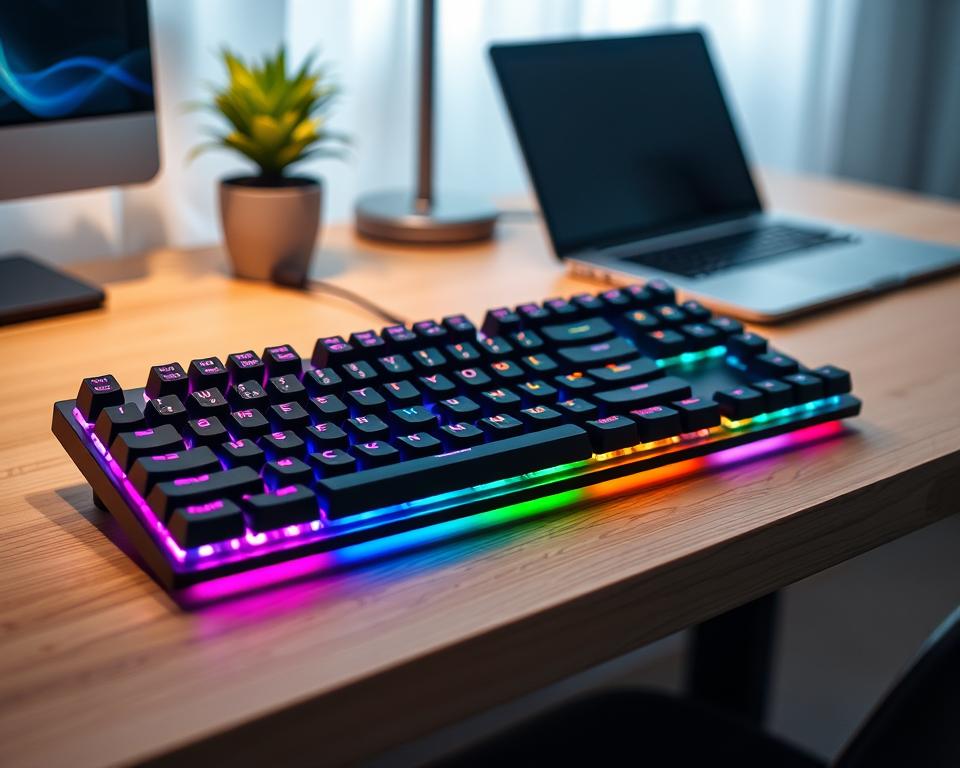
I first saw a compact mechanical keyboard and fell in love. The click of the keys and the design that saved space were perfect. It changed my cramped workspace for the better.
These keyboards are now very popular. They save space but offer a great typing experience. You can find them in sizes like 60%, 75%, and tenkeyless (TKL).
The Keychron Q5 Max is a great example. It’s 96% size and scores high in gaming. It’s perfect for those who want a full keyboard without taking up too much space.
These keyboards also feel great to type on. The mechanical switches give a satisfying click and sound. Models like the NuPhy Air75 V2 even let you change the switches yourself1.
Wireless options like the Logitech Pop Icon Keys are also available. They can connect to up to three devices at once. This makes it easy to switch between your computer, tablet, and phone2. Mac users can also find compatible keyboards, so everyone can join in on the fun.
Whether you’re a gamer, programmer, or just love typing, there’s a compact keyboard for you. It’s time to make your desk space better and improve your typing. Your fingers and workspace will appreciate it.
Understanding Compact Mechanical Keyboards
I’ve found that compact mechanical keyboards are changing how I type. They are both functional and space-saving. Let’s explore what makes them unique and why they might be great for you.
What Makes a Keyboard “Compact”?
Compact keyboards have fewer keys than full-size ones. They often lack a number pad and some navigation keys. This makes them perfect for small spaces. Sizes like 60%, 75%, and TKL layouts offer a balance of function and size3.
The Benefits of Mechanical Keys
Mechanical keyboards have deeper key travel and more feedback than laptop keyboards4. I enjoy their tactile feel and durability. There are many types of switches, like linear, tactile, and clicky, to suit different tastes5.
For beginners, Cherry MX or Kailh switches are a good starting point5.
Ideal Use Cases for Compact Designs
Compact keyboards are ideal for those with little desk space or who travel a lot. They also help improve ergonomics. Using a 75%, 68%, or 60% layout can reduce strain on your body3.
They’re becoming popular in gaming for their versatility and customization5.
Prices vary, but quality keyboards like the Qisan Magicforce 68 cost around $604. Premium models with special switches can reach up to $2754.
Choosing the Right Size for My Needs
Exploring compact keyboards showed me the wide range of sizes. Each size offers a mix of function and space-saving design. They meet different needs and tastes.
Different Compact Layouts Explained
Compact mechanical keyboards come in various sizes, each with its own perks. Full-size keyboards are still the top choice, but smaller ones are growing in popularity6. The 75% layout, for example, is loved by many for its mix of small size and usefulness78.
Let’s look at the main compact layouts:
- TKL (Tenkeyless): Omits the numpad but keeps function and arrow keys
- 75%: Similar to TKL but in a more condensed package
- 65%: Includes arrow keys but no function row
- 60%: The smallest mainstream option, focusing on alphanumeric keys
Comparing Tenkeyless vs. 60% Options
Choosing between TKL and 60% keyboards depends on personal needs. TKL keyboards have more features, keeping function and arrow keys. They’re a hit with gamers, who like the extra desk space8.
60% keyboards, however, are perfect for those who love minimalism and need more mouse space. They’re chosen by 47% of gamers for the extra room they offer8. I like them for their portability and the wide range of customization options6.
In the end, my choice depends on what I need. If I need function keys and arrows, I choose TKL. For the most portability and desk space, I go with 60%. It’s all about finding the perfect balance between function and size in mechanical keyboards.
Popular Brands of Compact Mechanical Keyboards
I’ve looked into many compact mechanical keyboards and I’m excited to share what I found. There’s a wide range of choices, from affordable to high-end, to fit everyone’s needs and tastes.
Key Features of Top Brands
When searching for the best typing experience, I found that top brands usually cost $100 or more, especially for wireless models. But, there are great options around $509. For example, the Keychron C2 Pro, a full-sized keyboard, starts under $55. It has premium double-shot PBT keycaps9.
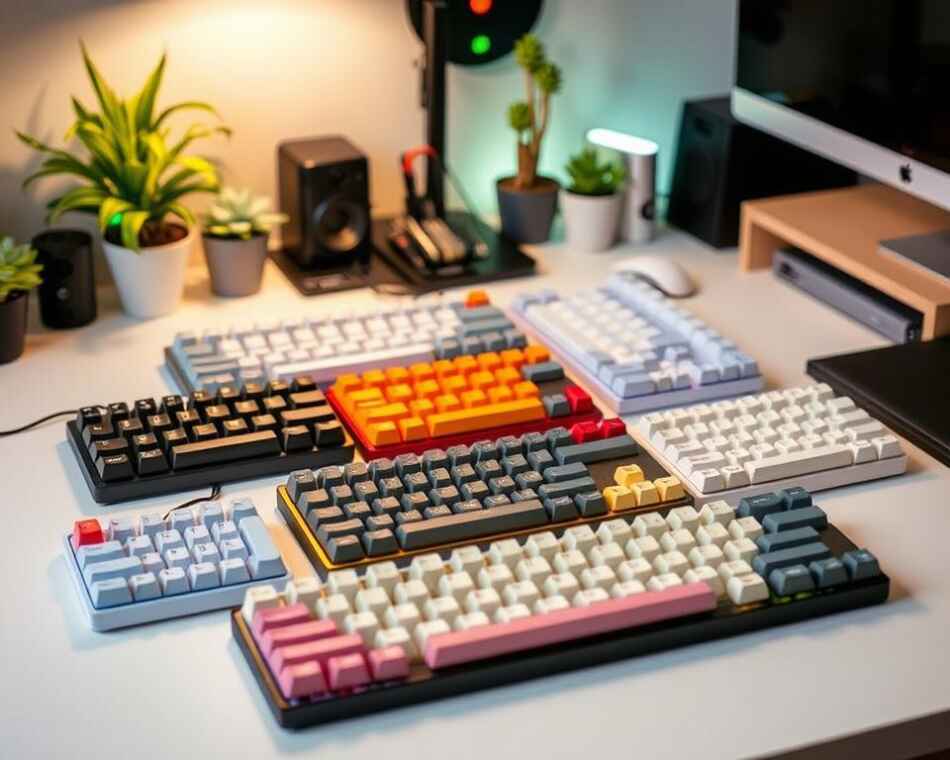
The Keychron V1 is another standout, an entry-level wired keyboard priced at about $84. It comes in various sizes and has hot-swappable switches, full VIA remappability, RGB backlighting, and double-shot PBT keycaps10. These features make for a great typing experience10.
My Favorite Models to Consider
For a top wireless option, the Keychron Q1 Max is a great choice, priced around $209. It connects via USB, Bluetooth, and 2.4GHz dongle with a 1000Hz polling rate10. It has a 4000mAh battery for long wireless use and comes in 11 sizes10. Its versatility and compatibility with both Windows and Mac are big pluses.
If you’re on a tight budget, the Royal Kludge R65 is a good pick. It’s available in wired or wireless for about $50-60. It has MDA-profile PBT keycaps, hot-swap switches, and dedicated arrow keys9. These keyboards are a great value for improving your typing without spending a lot.
The Feel and Sound of Compact Mechanical Keyboards
I’ve found that compact mechanical keyboards give a special typing feel. This feel and sound come from their switch types and design. It’s a unique experience compared to regular keyboards.
Tactile vs. Linear Switches
There are two main switch types in mechanical keyboards: tactile and linear. Tactile switches have a bump when pressed, while linear switches are smooth. This lets me choose how I like to type11.
Some switches are light, perfect for gaming. Others have tactile feedback or make sounds when pressed. I love that I can swap out switches in some keyboards to try different feels11.
Noise Levels and Their Impact
The sound of mechanical keyboards can change a lot. I can pick different switch types or tweak them to change the sound. For example, I can oil switches or add foam to make them quieter11.
Some keyboards have special features like gasket mounting and foam to make them quieter. These features make typing more enjoyable by reducing noise. For a really quiet option, I’ve looked at the OUTEMU Silent Yellow switch, which has been improved over time12.
In the end, the feel and sound of my keyboard really matter. Whether I want a loud or quiet keyboard, there’s one out there for me.
Enhancing My Workspace Experience
Compact mechanical keyboards have changed my workspace for the better. They save space and make my setup more comfortable and efficient.
Ergonomics and Comfort
My compact keyboard helps me keep my arms in a natural position. This reduces strain during long hours of work. 60% mechanical keyboards are smaller but still offer all the key functions, saving desk space13.
This design improves ergonomics and helps me maintain better posture. Some keyboards even come with wrist rests for extra comfort.
Customization Options for Aesthetics and Functionality
I enjoy the customization options that portable keyboards offer. I can change keycaps, switches, and program macros to fit my needs. RGB lighting lets me personalize my keyboard’s look to match my style.
For gamers and programmers, 60% mechanical keyboards are a top choice13. They’re great for fast games and setups with multiple monitors, improving mouse movement and typing speed.
When picking a compact keyboard, I look at the budget, switch type, keycap material, and how it connects13. Models like the HHKB Professional Hybrid Type-S and REALFORCE R2 RGB TKL are popular in gaming and laptop setups, showing their versatility14.
Connectivity Options for Compact Keyboards
I’m excited to dive into the world of portable keyboards and their connection options. These keyboards come in wired and wireless types, each with its own perks for typing.
Wired vs. Wireless Choices
When picking a compact keyboard, I think about the connection type. Wired keyboards use USB and offer a steady, lag-free typing experience. Wireless keyboards, on the other hand, give you more freedom and a tidy desk15.
For gaming or precise work, wired is my go-to to avoid lag. But for daily use, wireless keyboards work great. The Aula F75, for example, has USB-C, 2.4GHz wireless, and Bluetooth, giving you everything you need16.
Bluetooth Connectivity Advantages
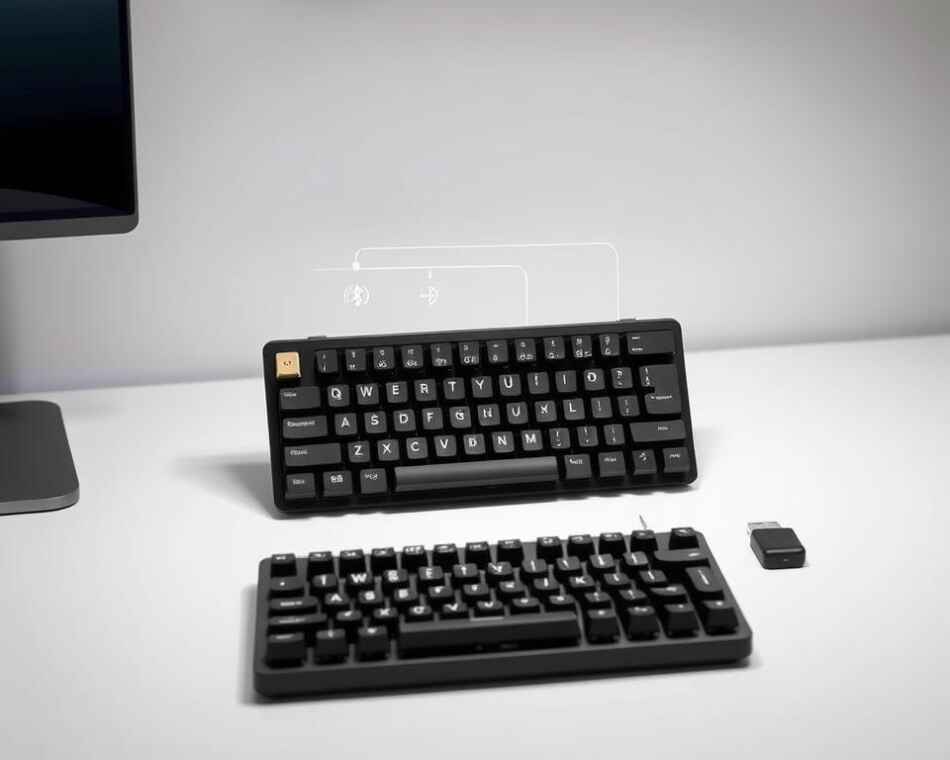
Bluetooth in compact keyboards has improved a lot. The Keychron K2, for instance, uses Bluetooth 5.1 for better range and performance16. I appreciate how easy it is to switch between devices with multi-device pairing.
Bluetooth keyboards might have a 30-40 millisecond lag, but newer models with 2.4GHz RF connections have cut this down a lot16. The XISOGUU compact keyboard, for example, offers Bluetooth, 2.4G wireless, and USB-C, meeting all your connectivity needs17.
In the end, whether to choose wired or wireless depends on what you need. Today’s compact mechanical keyboards have options for everyone, making typing better on various devices and in different places.
Personalizing My Compact Mechanical Keyboard
I love how compact mechanical keyboards let me express my style while boosting productivity. These small but mighty devices offer endless customization options to match my preferences and needs.
Keycap Sets: Bringing My Style to Life
Choosing new keycaps is like giving my keyboard a makeover. I can pick from flat or sculptured profiles to change how typing feels and looks18. My favorite part is mixing colors and designs to create a truly unique setup that reflects my personality.
When selecting keycaps, I consider the material and profile. PBT keycaps are durable and resist shine, while ABS ones offer vibrant colors. The profile affects my typing experience – some prefer uniform heights while others like contoured shapes for comfort.
Software and Programmability for Productivity
The real magic of compact mechanical keyboards lies in their programmability. Many support QMK firmware or VIA software, letting me remap keys and create custom macros18. This flexibility helps me tailor my typing experience to my workflow, saving time on repetitive tasks.
I can set up multiple layers of key functions, perfect for switching between different programs or languages. Some keyboards even come with both Windows and Mac keycaps, making it easy to use across different operating systems. The ability to fine-tune my layout significantly enhances my productivity and comfort while typing.
For beginners looking to dive into customization, essential tools include a keycap puller, switch puller, and lubing station18. With these in hand, I’m ready to explore the world of mechanical keyboard personalization and create a typing experience that’s uniquely mine.
Maintenance and Care for Longevity
Keeping my compact mechanical keyboard in top shape is crucial for a great typing experience. Regular maintenance extends its life and ensures peak performance.
Cleaning Tips to Keep It Fresh
I start by removing dust with compressed air. For a deeper clean, I gently remove keycaps and wash them with mild soap. Cherry MX and Gateron switches, the most popular brands, benefit from careful cleaning to prevent performance issues19. I use isopropyl alcohol for stubborn grime, avoiding liquid spills that could damage the circuitry19.
To keep my keyboard fresh, I store it in a clean, dust-free spot. This simple step protects it from damage and maintains its crisp feel19. I’ve found that PBT keycaps resist wear and fading, making them a great choice for long-lasting keyboards20.
Troubleshooting Common Issues
When I encounter issues like chattering keys, I first try cleaning the switches. If that doesn’t work, I consider replacing them. For wireless keyboards, I make sure to charge them properly and maintain the battery.
Lubrication is another trick I use to improve the sound and feel of my keyboard. It’s amazing how mechanical keyboard lifespan and longevity can be extended with proper care. Some Cherry MX switches can last up to 100 million keystrokes, while Gateron and Kailh switches typically hit 50 to 80 million20.
By following these maintenance tips, I ensure my compact mechanical keyboard stays in prime condition. This provides me with a smooth and enjoyable typing experience for years to come.
Conclusion: Why I Love My Compact Mechanical Keyboard
I’ve fallen in love with my compact mechanical keyboard. It’s a perfect mix of style and function for my small desk. Every keystroke is crisp and satisfying21.
My Final Thoughts on Functionality and Style
These keyboards are made to last. They can last up to 100 million keystrokes, much longer than standard keyboards2122. I enjoy the many switch options available. Whether you like the quiet feel of Cherry MX Reds or the tactile bump of Browns, there’s a perfect match for everyone23.
The compact design doesn’t mean you lose out on features. Many models have N-key rollover, great for fast typists and gamers21. Plus, you can customize them to fit your needs, from swapping keycaps to programming macros.
Encouraging Others to Make the Switch
If you’re thinking about trying a compact keyboard, I say go for it. They might cost more than membrane keyboards, but they’re worth it for their long life and great typing feel22. And if you’re worried about noise, there are now silent versions of mechanical switches22.
The 65% layout is a great choice for those with small desks. It’s small but still has all the important keys for work21. Whether you write, code, or just use your computer, a compact mechanical keyboard can make a big difference in your typing experience and workspace.
FAQ
What makes a keyboard “compact”?
What are the benefits of using a compact mechanical keyboard?
What’s the difference between tactile and linear switches?
Are compact mechanical keyboards suitable for gaming?
Can I customize my compact mechanical keyboard?
What are some top brands for compact mechanical keyboards?
How do I maintain my compact mechanical keyboard?
Are wireless compact mechanical keyboards good for productivity?
Can I use a compact mechanical keyboard with both Windows and Mac?
How do compact mechanical keyboards improve ergonomics?
Source Links
- https://www.rtings.com/keyboard/reviews/best/mechanical – The 7 Best Mechanical Keyboards of 2024
- https://www.nytimes.com/wirecutter/reviews/best-keyboards/ – The Best Keyboards
- https://www.nytimes.com/wirecutter/reviews/best-compact-mechanical-keyboards/ – The Best Compact Mechanical Keyboards
- https://www.nytimes.com/wirecutter/blog/why-i-love-compact-mechanical-keyboards-and-you-will-too/ – Why I Love Compact Mechanical Keyboards and You Will Too
- https://www.smashingmagazine.com/2020/05/complete-guide-mechanical-keyboards/ – A Complete Guide To Mechanical Keyboards
- https://hardwarecanucks.com/gaming-keyboards-mice/how-to-choose-the-right-keyboard-size-60-65-tkl-100/ – How to Choose the RIGHT Keyboard Size (60%, 65%, TKL, 100%)
- https://www.corsair.com/us/en/explorer/gamer/keyboards/keyboard-sizes-explained/?srsltid=AfmBOoqXyEe8d-Qqt4T1vpcoVRsyJnOUnWTvDEcvjQPSaX9ZGeRJxjI8 – Keyboard Sizes & Layouts Explained
- https://www.durgod.com/blogs/a-complete-guide-to-mechanical-keyboard-sizes-which-one-is-right-for-you/ – Mechanical Keyboard Sizes A Complete Guide to Find Your Best Fit
- https://www.tomshardware.com/best-picks/best-budget-mechanical-keyboards – Best Budget Mechanical Keyboards 2024
- https://www.theverge.com/23384750/best-mechanical-keyboard-wired-wireless-75-percent-layout-cheap-bluetooth – The best mechanical keyboards to buy right now
- https://www.xda-developers.com/everyone-should-use-a-mechanical-keyboard/ – I can’t imagine typing without a mechanical keyboard, and I think you should use one too
- https://www.keebtalk.com/t/a-silent-mechanical-keyboard-setup-in-2024/20488 – A Silent Mechanical Keyboard Setup in 2024
- https://techthingpro.com/60-mechanical-keyboards/ – The Ultimate Guide to 60% Mechanical Keyboards
- https://hhkeyboard.us/blog/upgrade-your-workspace-with-the-new-hhkb-or-realforce-keyboard?srsltid=AfmBOoqMrErXbn7zvF9OYN68c41P8Dxw7YdTqNm2Kt8hTIFK7rwe8-30 – Upgrade your workspace with the new HHKB or REALFORCE keyboard to enhance distance learning and remote working! – HHKB
- https://www.meetion.com/a-how-to-connect-mechanical-keyboard.html – How to Connect Mechanical Keyboard – Meetion
- https://www.mechtype.com/top-5-wireless-mechanical-keyboards/ – Best Wireless Mechanical Keyboards [2.4GHz vs Bluetooth]
- https://www.amazon.com/XISOGUU-Wireless-Mechanical-Ultra-Compact-Stand-Alone/dp/B0CL47M5CY – Amazon.com: XISOGUU Wireless 61% Mechanical Keyboard, Modes BT5.0/2.4G/Wired, Backlit Ultra-Compact 68Keys Gaming Keyboard with Stand-Alone Arrow/Control Keys (Blue Switch) : Video Games
- https://www.makerstations.io/how-to-customise-mechanical-keyboard/ – How to Customise a Mechanical Keyboard
- https://www.meetion.com/a-how-to-maintain-mechanical-keyboard.html – How to Maintain Mechanical Keyboard – Meetion
- https://www.keyceo.com/a-how-long-do-mechanical-keyboards-last.html – How Long Do Mechanical Keyboards Last – Keyceo
- https://switchandclick.com/why-are-mechanical-keyboards-are-better-for-typing/ – Why Mechanical Keyboards are Better for Typing – Switch and Click
- https://kineticlabs.com/blog/mechanical-keyboards-vs-membrane-keyboards – Mechanical vs Membrane Keyboards: Which Is Best?
- https://mattgemmell.scot/mechanical-keyboards/ – Mechanical Keyboards — Matt Gemmell